

Battery Installation
Installing Batteries
Section titled “Installing Batteries”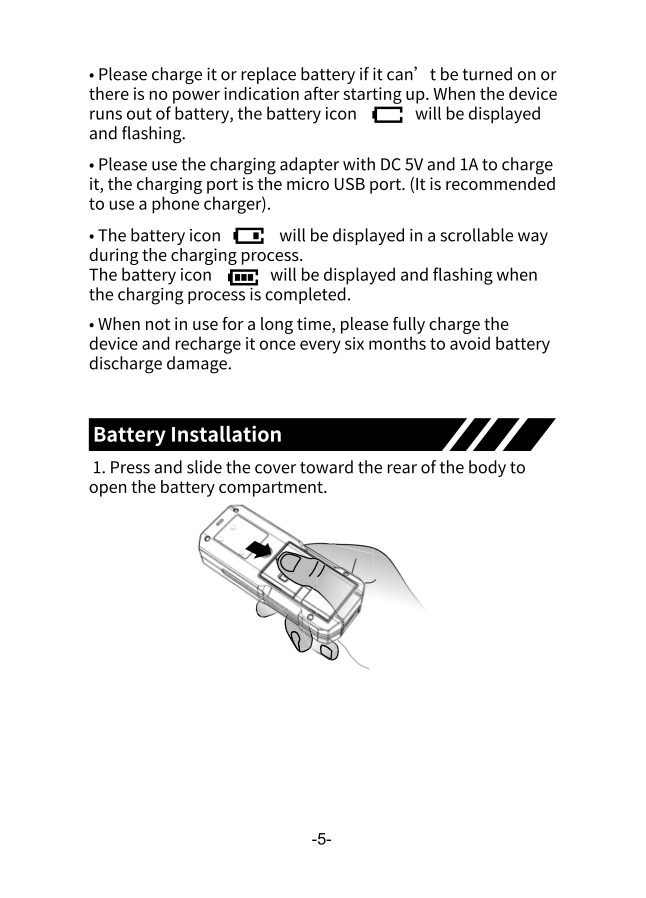
-
Open the compartment
Press and slide the cover toward the rear of the body to open the battery compartment.
-
Insert batteries
Insert 2×AA rechargeable NI-MH batteries, observing correct polarity (+/- orientation).
-
Close the cover
Press and slide the cover back to the top to seal it securely.
Charging
Section titled “Charging”Charging Requirements
Section titled “Charging Requirements”| Parameter | Value |
|---|---|
| Adapter | DC 5V, 1A |
| Port | Micro USB |
| Recommended | Phone charger |
Charging Process
Section titled “Charging Process”- Connect the micro USB cable to the device
- Connect to a 5V/1A USB power source
- The battery icon will scroll during charging
- The battery icon will flash when charging is complete
Battery Indicators
Section titled “Battery Indicators”| Icon State | Meaning |
|---|---|
| Scrolling animation | Currently charging |
| Flashing (full) | Charging complete |
| Flashing (empty) | Low battery - charge needed |
Long-Term Storage
Section titled “Long-Term Storage”If not using the device for extended periods:
- Fully charge the device before storage
- Recharge at least once every 6 months
- This prevents battery discharge damage
- Store in the included carrying case in a cool, dry place