

Area & Volume Measurement
Area Measurement
Section titled “Area Measurement”Calculate the area of rectangular spaces quickly.
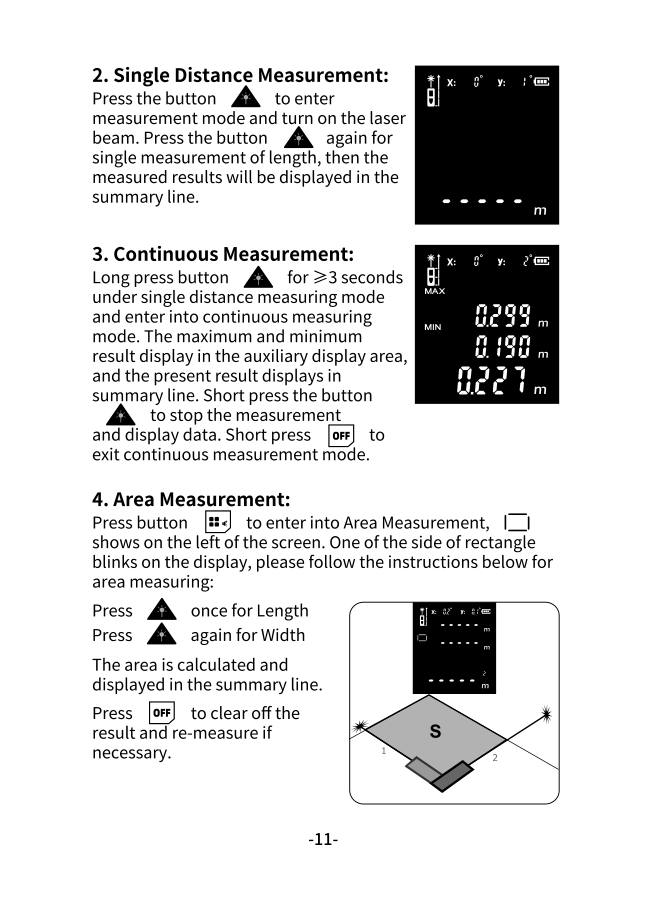
Enter Area Mode
Section titled “Enter Area Mode”Press the Mode button once. The area icon will appear on the left side of the screen.
Measure Area
Section titled “Measure Area”-
Measure length
Aim at one wall and press A to measure the first dimension (length).
-
Measure width
Aim at the perpendicular wall and press A to measure the second dimension (width).
-
View result
The calculated area is automatically displayed in the summary line.
Clear and Re-measure
Section titled “Clear and Re-measure”- Press OFF to clear the current result
- Press OFF again (when auxiliary display is empty) to exit area mode
Volume Measurement
Section titled “Volume Measurement”Calculate the volume of rectangular rooms or spaces.
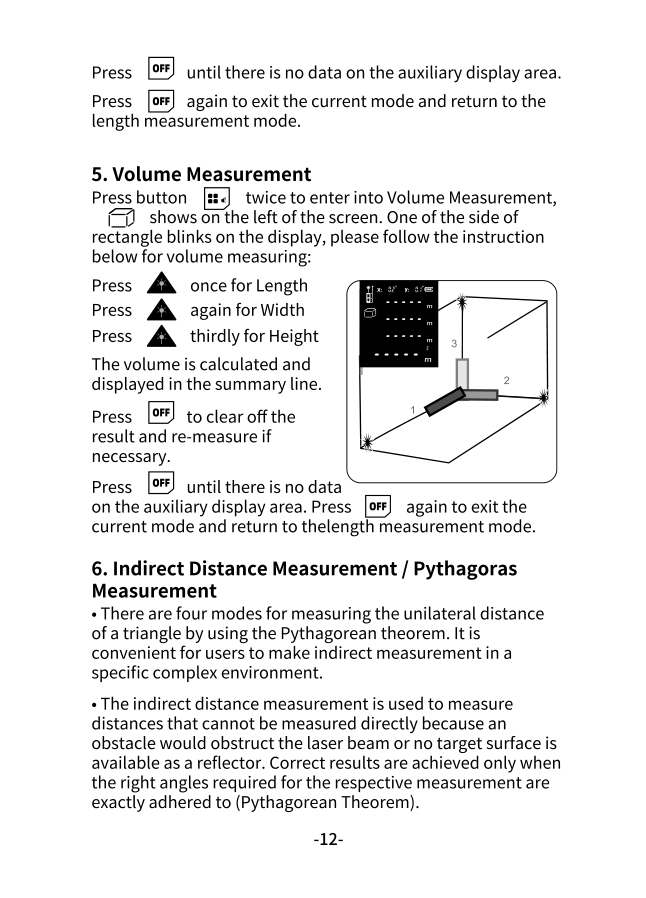
Enter Volume Mode
Section titled “Enter Volume Mode”Press the Mode button twice. The volume icon will appear on the left side of the screen.
Measure Volume
Section titled “Measure Volume”-
Measure length
Press A to measure the first dimension.
-
Measure width
Press A to measure the second dimension.
-
Measure height
Press A to measure the third dimension.
-
View result
The calculated volume (L × W × H) appears in the summary line.
Clear and Exit
Section titled “Clear and Exit”- Press OFF to clear results and start over
- Press OFF again when the auxiliary display is empty to exit volume mode
Practical Applications
Section titled “Practical Applications”| Mode | Use Cases |
|---|---|
| Area | Flooring, painting walls, carpet, tiles, roofing |
| Volume | HVAC sizing, shipping containers, storage space, concrete |
Quick Reference
Section titled “Quick Reference”| Action | Button |
|---|---|
| Enter area mode | Mode × 1 |
| Enter volume mode | Mode × 2 |
| Take measurement | A |
| Clear result | OFF |
| Exit mode | OFF (when clear) |