

Menu & Settings
Power On/Off
Section titled “Power On/Off”Turn ON
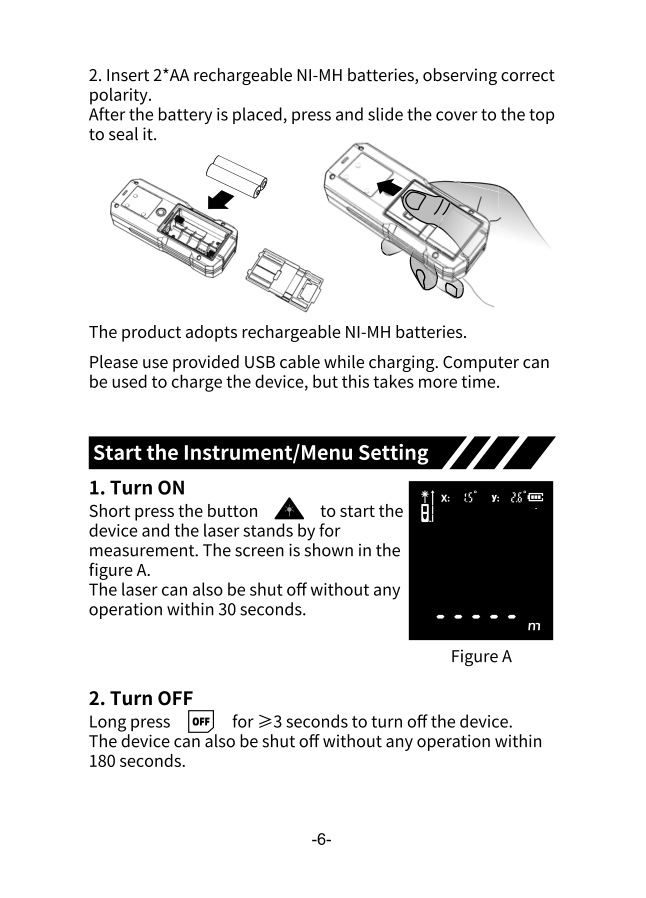
Section titled “Turn ON”Short press the A button to start the device. The laser will stand by for measurement.
Turn OFF
Section titled “Turn OFF”Long press OFF for ≥3 seconds to turn off the device.
Reference Point
Section titled “Reference Point”The reference point determines where measurements are taken from.
Long press + to cycle through reference points:
| Reference | Use Case |
|---|---|
| End (default) | Measuring from the back of the device |
| Middle | Measuring from the tripod mount |
| Front | Measuring from the front edge |
Unit Setting
Section titled “Unit Setting”- Long press U- for ≥2 seconds
- The unit display will start blinking
- Short press to cycle through units
- Wait for auto-confirm or press A
Available Units
Section titled “Available Units”| Unit | Format | Example |
|---|---|---|
| Meters | 0.000m | 12.345m |
| Feet | 0.000ft | 40.502ft |
| Inches | 0.000in | 486.024in |
| Percentage | 0% | Used for slope |
| Feet + Inches | 0’0” | 40’6” |
Sound Settings
Section titled “Sound Settings”Toggle the buzzer on or off:
- Long press U- for ≥3 seconds
- Listen for the “BEE” confirmation sound
- Check the display:
- × appears = buzzer OFF
- × disappears = buzzer ON
Quick Reference
Section titled “Quick Reference”| Action | Button | Duration |
|---|---|---|
| Power on | A | Short press |
| Power off | OFF | ≥3 seconds |
| Change reference | + | Long press |
| Change unit | U- | ≥2 seconds |
| Toggle sound | U- | ≥3 seconds |